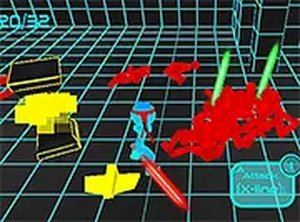
Dungeon Exploration Quest
Reviews
Description
Game Introduction
Dungeon Exploration Quest is a family-friendly 2D adventure game where players navigate a series of dungeons that change over time. The core objective is to reach the exit of each dungeon while overcoming obstacles and enemies. Developed by HelperWesley and released in May 2024, this game is designed to be accessible and enjoyable for players of all ages, with no violent or inappropriate content. The unique feature is its dynamic environment, which shifts during gameplay, ensuring each playthrough offers a fresh challenge. The game runs smoothly on any modern browser, supporting PC, mobile, and tablets, making it easy to play anywhere.
How to Play
Players control a hero character through a series of dungeons using keyboard and mouse inputs. Movement is typically handled with the keyboard, while aiming and firing are done with the mouse. The goal is to defeat monsters that block the path to the exit. Along the way, players can collect upgrades that enhance their abilities, such as stamina and health. The game supports full-screen mode for an immersive experience and is optimized for all devices, ensuring smooth gameplay regardless of platform.
Game Features
The game features a dynamic dungeon environment that changes during gameplay, providing a unique challenge each time. Players can collect power-ups and upgrades to improve their character's stamina and health. The controls are simple and intuitive, making the game easy to pick up for players of all ages. Full-screen support and cross-device compatibility ensure a seamless experience on PCs, tablets, and mobile phones. The game is designed to be family-friendly, with no violent or inappropriate content.
Tips for Success
To succeed in Dungeon Exploration Quest, focus on learning the movement and aiming controls early. Collect every upgrade you find, as they are crucial for surviving tougher enemies and later dungeons. Pay attention to the changing environment, as walls and paths may shift, requiring quick adjustments. Practice regularly to improve your reflexes and timing. Finally, take advantage of full-screen mode to minimize distractions and immerse yourself in the adventure.