
Description
Core Flight Mechanics
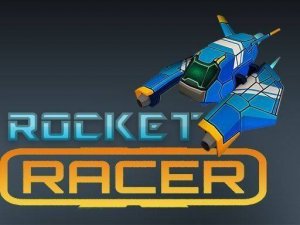
At its heart, Thrust Runner Aerial Course is about maintaining control at high speeds. Your vehicle moves forward automatically, and you must steer left or right to avoid the barriers that appear along the route. The controls are responsive, allowing for precise adjustments even during fast sequences. Success depends on your ability to read the path ahead and make split-second decisions. Each session begins with a clear track, but the layout changes every time, keeping the experience fresh.
Obstacle Patterns and Adaptability
The barriers are not placed randomly but follow certain patterns that players can learn over time. Early sections might feature simple gaps, while later parts introduce tighter spaces and more complex arrangements. This design encourages players to develop pattern recognition skills. The challenge grows gradually, making the game accessible to newcomers while still offering depth for those seeking to improve their scores. Adaptability is rewarded, as no two runs feel exactly the same.
Enhancements and Their Strategic Use
Throughout the course, special items appear that can give you an edge. Some provide a temporary speed increase, allowing you to cover more ground quickly. Others offer a brief protective effect, letting you pass through one barrier without ending the run. Knowing when to collect these items is part of the strategy. Grabbing a speed boost in a clear area can help you reach a new distance record, while saving a shield for a tricky section can extend your run significantly.
Score Tracking and Personal Goals
The game records your best distance and displays it prominently, giving you a clear target to beat. This simple scoring system turns each attempt into a personal challenge. You can compare your performance against your own history, which adds a layer of motivation. The absence of a fixed endpoint means the only limit is your own skill and concentration. This design encourages repeated play, as each new run offers a chance to surpass your previous best.
Visual Style and Performance
The graphics are bright and clean, with a clear color palette that makes obstacles easy to spot. The visual feedback is immediate: when you collect an item, the screen shows a clear effect, and when you hit a barrier, the run ends cleanly. The game runs smoothly, with no noticeable lag, which is essential for a game that relies on precise timing. The overall presentation is polished and focused on the gameplay, without unnecessary distractions.








Player Comments
Sign in to comment
You must be logged in before posting a review or rating.
No account? Create one
No comments yet. Be the first to comment!