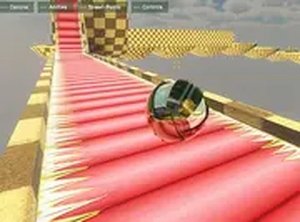
Interactive Ball Physics Playground
Reviews
Description
Game Introduction
Interactive Ball Physics Playground is a browser-based simulation where players take command of a ball inside a responsive environment. The experience centers on observing how objects behave when forces like momentum and trajectory are applied. Unlike games with fixed objectives, this playground encourages open-ended experimentation. Players can explore how the ball interacts with surfaces, metallic objects, and other elements using a set of movement abilities. The environment reacts in real time to player inputs, offering a safe space for curiosity-driven play. Designed for desktop computers, the game runs directly in a web browser without any installation. Its family-friendly design makes it suitable for all ages, and it serves as an informal way to learn about basic physics concepts. The absence of time limits or scoring systems allows players to focus purely on exploration and cause-and-effect relationships. This makes the game a useful tool for both casual entertainment and educational discovery. Whether you have a few minutes or a longer session, the playground adapts to your pace.
How to Play
To interact with the ball, players use a keyboard and mouse. The game is optimized for desktop computers, so a PC or laptop provides the best experience. Various keys and mouse clicks activate different abilities. For example, one command may let the ball attach to surfaces, another may increase its speed, and a third may allow it to leap off walls. There is also a feature that lets the ball stick to metallic objects temporarily. Since there are no set goals, players are free to try any combination of actions. Simply launch the game in your browser and start experimenting with the controls to see how the ball responds. The interface is intuitive, making it easy for newcomers to begin exploring immediately.
Game Features
Key features include a physics-based ball simulation with movement abilities such as grappling, speed boosting, wall jumping, and magnetic attachment to metal. The sandbox environment supports open-ended play with no predefined objectives. Controls are simple and responsive, allowing players to combine abilities in creative ways. The game is designed for desktop browsers and requires no downloads, providing a seamless experience. It encourages creativity and exploration, offering a safe space for players to experiment with physics concepts. The environment may include various surfaces and objects that react differently to the ball's actions.
Tips for Success
To get the most out of Interactive Ball Physics Playground, take time to test each ability on its own. Try combining moves, such as grappling then boosting, to see unique results. There is no correct way to play, so enjoy the process of discovery. Regular practice helps you understand how the ball interacts with different surfaces and objects, enhancing your overall experience.